
Okeechobee VINE Custody Coverage
Florida's Department of Corrections runs the state's victim-notification program across all circuits and counties. The national VINELink interface is the live way in. County-jail custody is covered in Florida's materials. Even so, no public page promises that every Okeechobee County booking will return a result. Keep that limit in mind each time. Pick Florida, then run the live search. See whether Okeechobee custody shows up. When no match appears, call the Okeechobee County Jail instead of assuming a release or a missed booking. A recent arrest can still be moving through intake, and local data can lag behind VINE.
Run an Okeechobee VINE Check
VINELink checks one person at a time. Enter exact details, and study near-matches closely, since a shared name alone does not prove the record belongs to the person you want.
- Open VINELink and choose Florida as the service area.
- Use the name or identifying number requested by the live interface.
- Try exact spelling, known name forms, or an available identifier when the first search is blank.
- Review the jurisdiction, facility, custody label, and date or time shown for each possible match.
- Use the registration control only after confirming the correct person and record.
The VINELink home interface provides the official state-selection and search entry point.
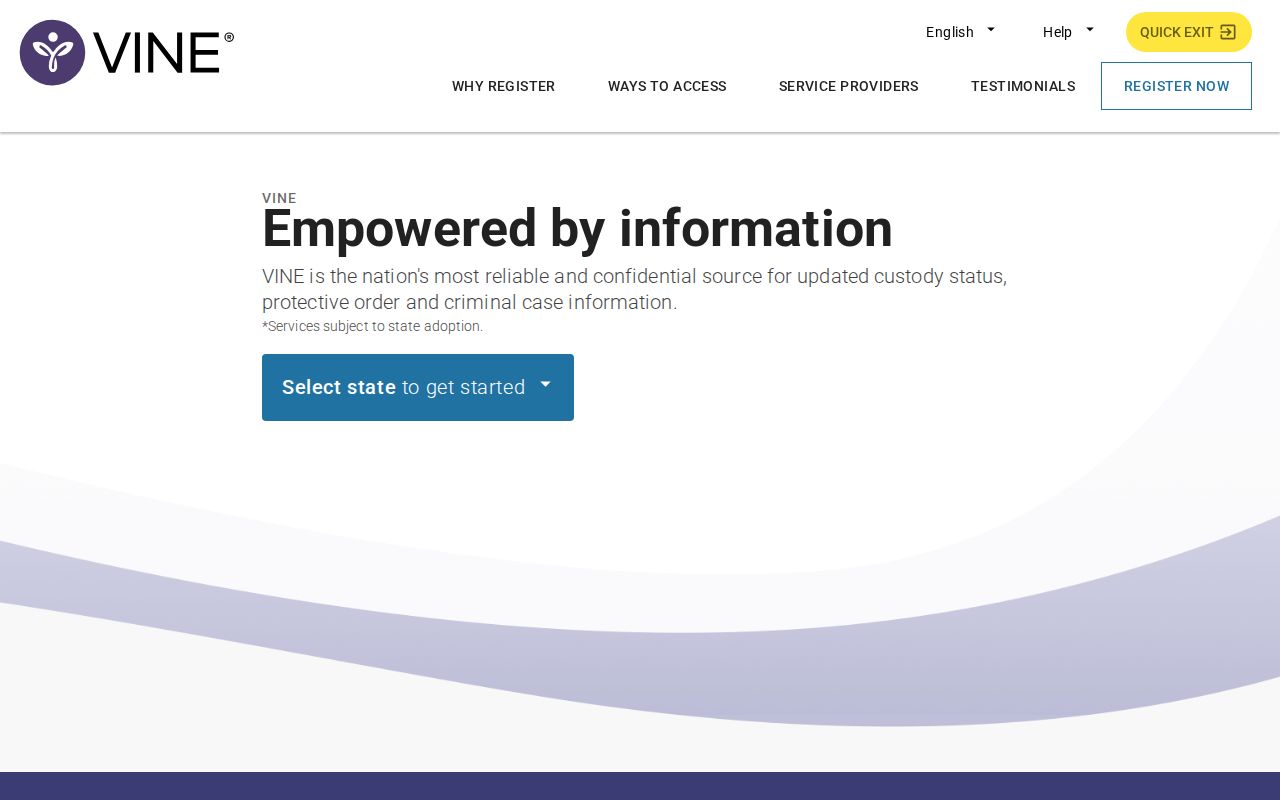
This view helps you spot the right service. The live Florida screen decides what search controls and custody details appear.
Note: Save the search date and time because a VINE status can change after release, transfer, or a later data update.
Okeechobee VINE Result Fields
Florida's materials point to a workflow built on identity, custody status, facility, and alert signup. The screens run on JavaScript. Labels can shift. The table describes each field's role rather than a fixed heading.
| VINE item | How to interpret it |
|---|---|
| Name or identifier | Used to distinguish the person; verify spelling and all available details. |
| Custody status | A supplied status for the matched record, not a complete arrest history. |
| Facility or jurisdiction | Shows which participating system is reporting the custody event. |
| Status date and time | Provides context for the result; it may trail a very recent local change. |
| Alert registration | Lets a user select an offered contact method and create a PIN. |
| Release or transfer event | A notification event, not proof of the court’s final disposition. |
VINELink does not supply the full OCSO booking card. Nor does it offer an arrest affidavit, a guaranteed booking photograph, or the Clerk's case result. Those records live with other custodians. A VINE match simply means the participating system returned a custody record tied to your search.
Register Okeechobee Custody Alerts
Florida VINE alerts can arrive by phone, text, or email, depending on the route you pick. Registration uses a four-digit PIN. Guard that PIN. Automated phone calls keep coming until you enter it. Florida publishes two helpful phone routes. The FDC victim-notification line is 1-877-884-2846, and the VINE information line at 1-877-846-3435 answers around the clock. For a person's immediate county jail, bond, and charge status, Okeechobee booking staff remain the source.
- Confirm the correct person’s record before selecting the registration option.
- Choose an offered telephone, text, or email destination that can be monitored safely.
- Create a four-digit PIN that can be entered when the service asks for it.
- Review which custody events the registration covers, such as release, transfer, death, or another supplied status change.
- Keep the PIN and update contact information through the official service when needed.
The Florida Department of Corrections victim-notification page explains the state registration channel.
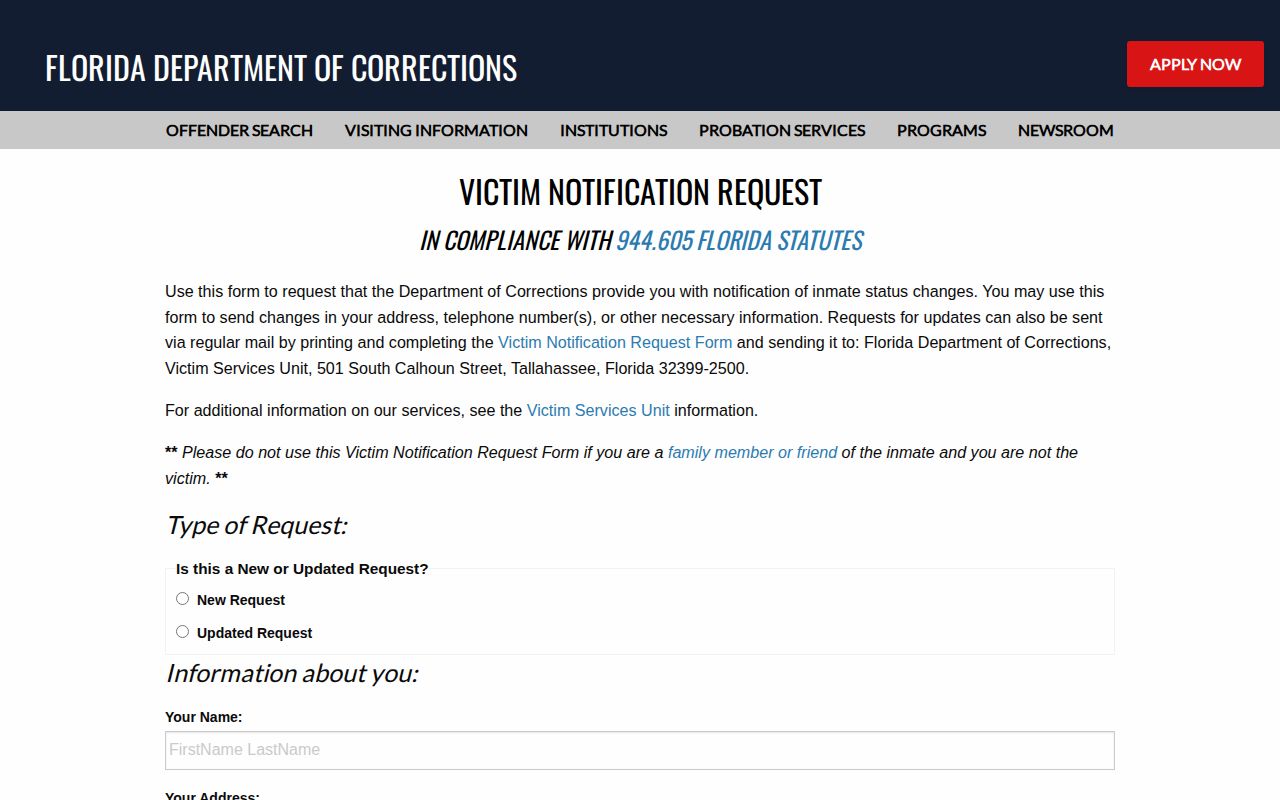
This FDC view shows Florida's notification process stands apart from the county jail's public inmate-search page.
Florida VINE PIN Process
The PIN is an alert-delivery tool, not a jail ID number. Florida's form spells this out. Automated calls repeat until the four-digit PIN is entered. Text and email do not behave that way. That difference matters when you need fast word of a release or transfer. FDC treats notification details as confidential within its victim-services process. Friends and family outside it can register through VINELink directly. The official Florida VINE notification form documents the contact methods and PIN instructions.
The form documents how alerts work. The live VINELink screen is still where you test an Okeechobee County record.
Note: A PIN acknowledges an alert call; it does not grant access to private jail, medical, victim, or investigative information.
Separate Okeechobee Custody Systems
Each locator covers a different stage or jurisdiction. OCSO's inmate search is the first official check for current county jail custody. VINE tracks supplied custody events and powers the notifications. The Florida Department of Corrections search covers state prisoners and supervised people, not a fresh county booking.
| Source | Proper use | Not designed for |
|---|---|---|
| OCSO inmate search | Current Okeechobee County Jail custody | Complete historical arrests or court outcomes |
| Florida VINELink | Custody check and release or transfer alerts | Mugshot feed, warrants, or full booking file |
| FDC offender search | State prison, release, or supervision record | Fresh county jail intake |
| Clerk case search | Charges, docket events, and disposition | Real-time jail housing |
| BOP locator | Federal Bureau of Prisons custody | County jail or ICE custody |
| ICE locator | Federal immigration detention | OCSO custody or court disposition |
Someone released can drop off the county roster while the booking record and court case live on. A move into state custody can surface in the FDC search. Federal and ICE custody need their own locators. Neither feeds through an Okeechobee County roster search.
Okeechobee VINE Alert Limits
VINE works only with records that participating systems supply. A new arrest may not appear at the moment of booking. The service is not a blanket alert for every violation-of-probation warrant or police event either. Florida materials describe release, transfer, and custody-status notifications. Nothing supports calling VINE a general warrant-alert service. Treat every alert as a prompt to verify. Call Okeechobee booking when county status is urgent. The Sheriff's Records Clerk Department handles historical booking cards and photographs, and the Clerk holds the case outcome. For a booking too fresh for data to have caught up, the Okeechobee Arrested Today page explains the live roster and booking-phone fallback.
When Okeechobee VINE Is Blank
A blank result can mean several things. The name may be misspelled. The person may sit outside participating custody, or intake data may not have arrived yet. Release, transfer, or a mismatched jurisdiction can produce the same empty screen, so run another check before choosing any one explanation.
- Repeat the VINELink search with exact spelling and any known identifier.
- Check the official OCSO inmate search for current county custody.
- Call booking at 863-357-5343 for bond, charge, and present-status questions.
- Contact OCSO records at records@okeesheriff.com for a past booking artifact.
- Use FDC, BOP, or ICE only when the person’s custody has moved into that system.
A blank screen on VINE does not close the door. Call the Okeechobee County Sheriff's Office at 863-763-3117 to ask about an arrest directly. You can also go to the jail at 504 NW 4th Street, Okeechobee, FL 34972. The Sheriff's records page lists the written-request channels for a past booking record. Whatever the route, give the name. Add a rough arrest date, the arresting agency, and the booking number if you have it.
Okeechobee Alerts Versus Records
VINE tells you one thing. It shows whether a matching custody record exists and lets you register an alert. It cannot explain why prosecutors changed a charge, whether a conviction followed the arrest, or which documents are public. For those answers, look to the OCSO booking record or the Okeechobee Clerk's case file.
Numbers get mistyped, phones die, and VINE may learn of a status change only after the local jail has already acted. So recheck the official source whenever an alert lands, and also when one you expected never shows up. The county booking line can confirm who is in custody right now. The Clerk can tell you what the court did.
- Custody alert
- A notice based on a supplied release, transfer, or status event.
- Booking record
- The jail intake file created after an arrest.
- Bond
- A court-set release condition that may change over time.
- Disposition
- The court’s later resolution of the criminal charge.
- Transfer
- A move from one custodial agency or facility to another.
Keep four things straight: the live VINE record, the county roster, the official booking file, and the court outcome. Sorting them apart is the simplest habit for reading any Okeechobee arrest correctly.